Managing Redirects for Your URLs
Last updated: January 13, 2026
Encountering 404 error pages and need to set up redirects? You can manage this in Admin → Website → Redirects.
In this section, you’ll see a list of all existing redirects. You can update or delete redirects by selecting the checkbox on the left. To delete a redirect, use the toolbar that appears at the bottom of the screen. To edit or create a redirect, click Add New Redirect in the top-right corner.
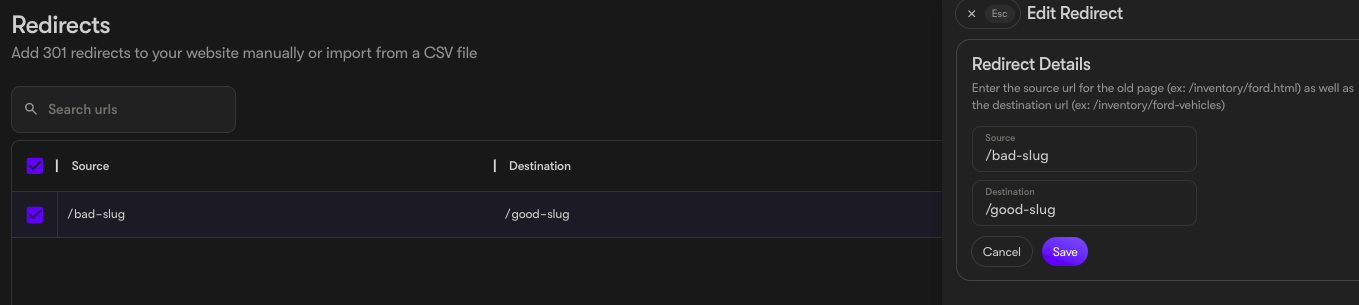
To add a single redirect, click Add New Redirect in the top-right corner. Enter the slug for the broken (bad) link and the slug for the destination (good) link.
A slug is the portion of the URL that comes after the domain name, including the
forward slash (e.g., /example-page). If you want the page to redirect to your homepage, simply enter /
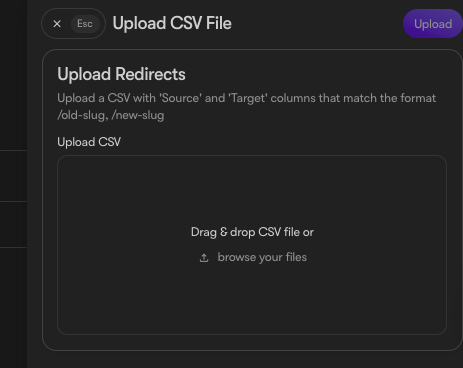
To add redirects in bulk, you can upload a CSV file using the Upload from CSV button. The attached template is pre-formatted to make this process quick and easy.