Managing Copy
Last updated: November 3, 2025
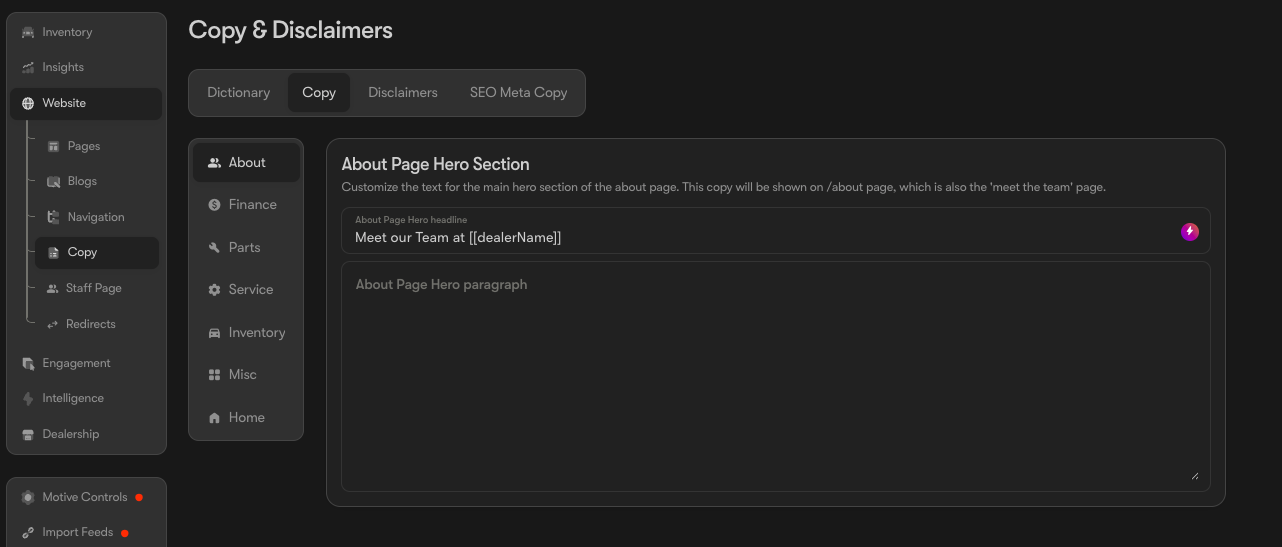
From the 'Website' -> 'Copy -> Copy header' tab in the Motive backend, you have the convenience to manage and edit the text displayed in the hero sections of the following website pages:
About
Finance
Parts
Service
Inventory
Misc (Blog, AI, and Trade)
Home
You can also adjust the Disclaimers that appear across your webpage in the second tab:
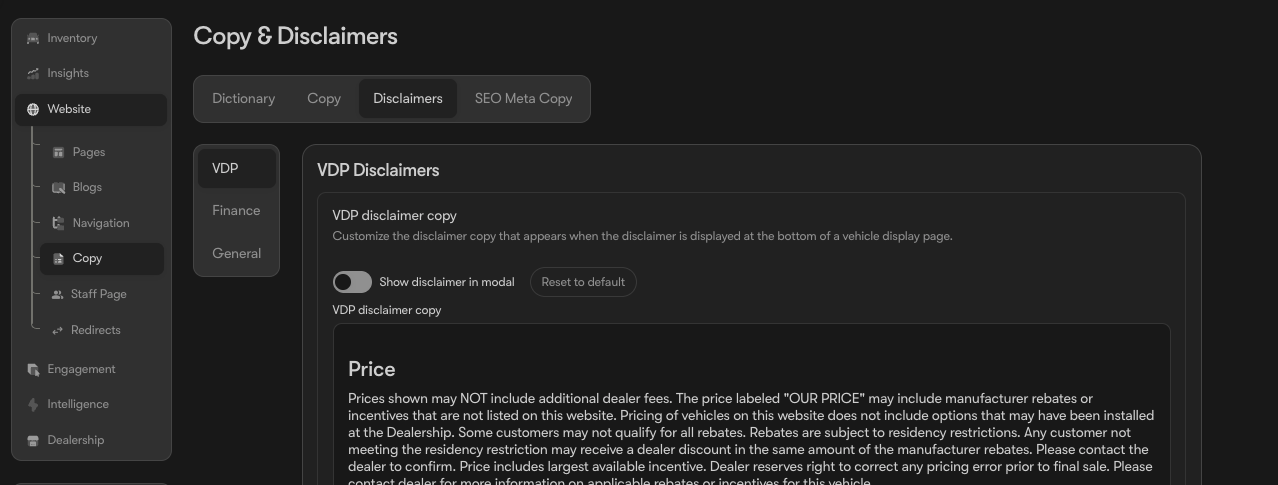
Simply navigate to the desired page and make your modifications.
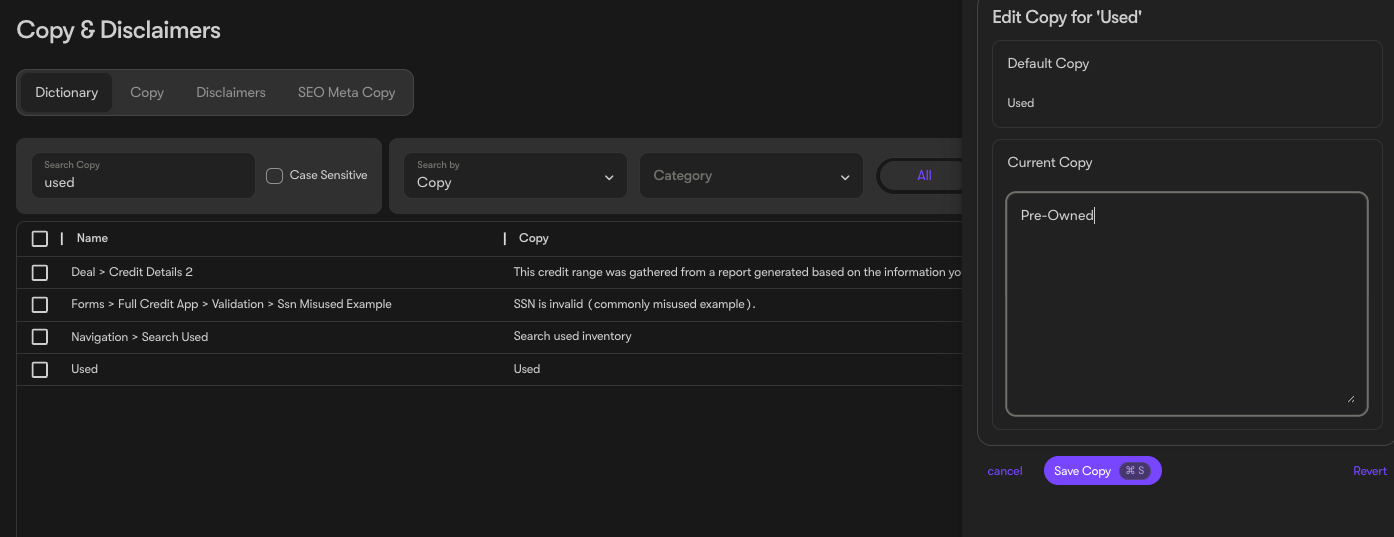
We’re also excited to introduce our new “Dictionary” copy tool!
With this feature, you can easily update almost any text on your website. Use the search bar in the top left to find specific items, or filter by Category to narrow down your options.
To make an update, simply click the line you’d like to edit, enter the new copy, and hit Save — your changes will appear instantly on your website. You can also filter to view only items that have been modified and revert any of them back to their original text at any time.