Custom Discounts
Last updated: August 11, 2025
What are custom discounts in Motive?
Custom discounts are incentives or discounts that you apply to a vehicle from the Motive portal. If you manage custom discounts in vAuto, they can also be imported automatically through our built-in vAuto integration.
Understanding Parsed Incentives from vAuto:
Parsed incentives (name, amount, expiration) are provided by vAuto. These incentives are useful when you have custom discounts in vAuto that appear as unmatched rebates to customers. You can add disclaimers by editing incentives. Expiration dates are for display and do not trigger automatic removal. Incentive deletion relies on vAuto or manual action.
Note: the incentives from vAuto need to be formatted in the below configuration for them to automatically import:
It needs to start with Price includes:and then each incentive needs to be {price} - {name} Exp. {MM/DD/YYYY} {optional_disclaimer}
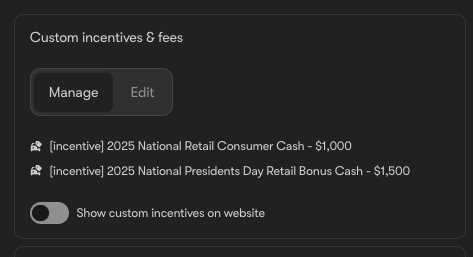
How do I add a custom discount?
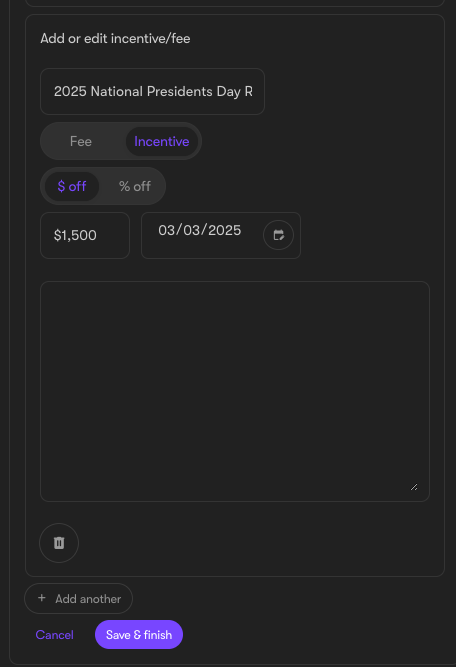
- Go to the inventory tab and select the listing you wish to modify
- Click "Incentives & Fees"
- Click Edit
- Name the incentive
- Specify the dollar amount or percentage off
- Add any necessary disclaimers
- Save your changes and close
These can also be added in bulk based on collection or specific inventory filters:
- These are located under Inventory -> Incentives -> Custom Incentives
- Click "Add Incentive", you can then set the name as it will appear on the price box line item. You can also add a disclaimer which will appear in the tool tip.
- Enter the percent or dollar value and include an expiration date (if applicable).
- Select the inventory this will apply to - either a pre-made collection or set specific inventory filters (Make, model, trim, etc.)