Promoting Vehicle Specials
Last updated: January 15, 2026
Have select vehicles on sale that you’d like to highlight? Image Cards are an effective way to showcase current promotions and featured vehicles. As a CMS element, Image Cards can be easily added to your pages to create eye-catching visuals that draw attention to your latest deals and offers.
Start by navigating to the page where you want the specials to appear, or create a new page.
Click Add, then select Image Cards.
From there, you can upload images one at a time or drag and drop a full set of images to quickly create your special cards. Videos can be added by clicking the gear icon, then selecting the Media tab in the right-hand pane.
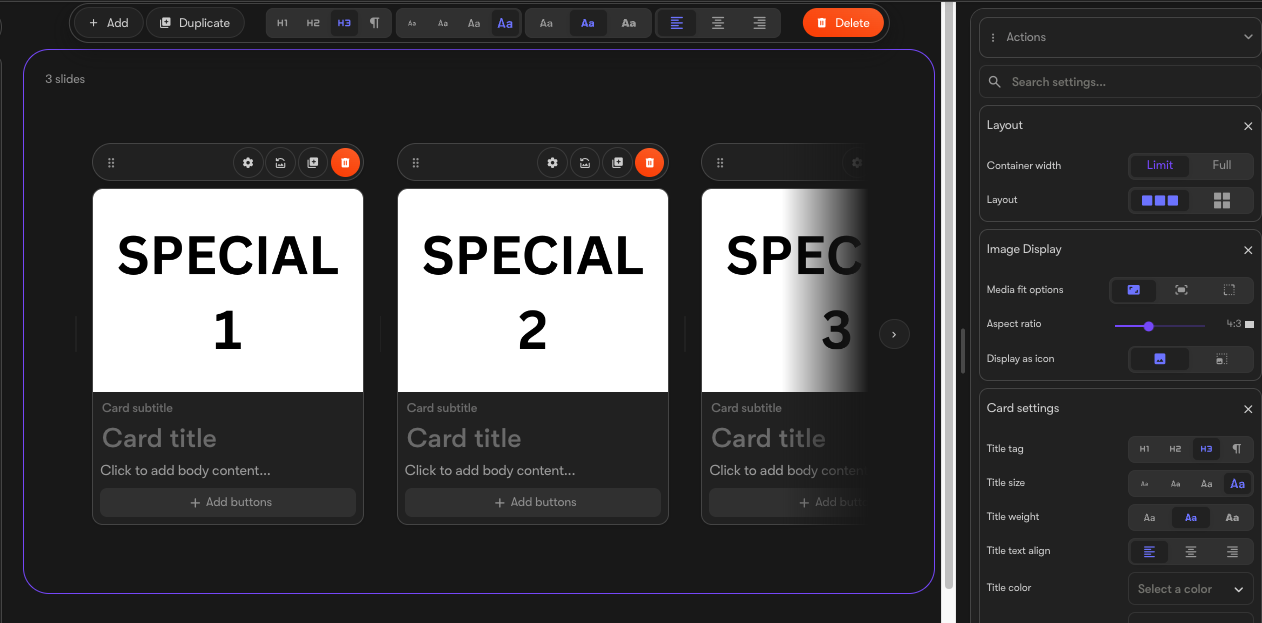
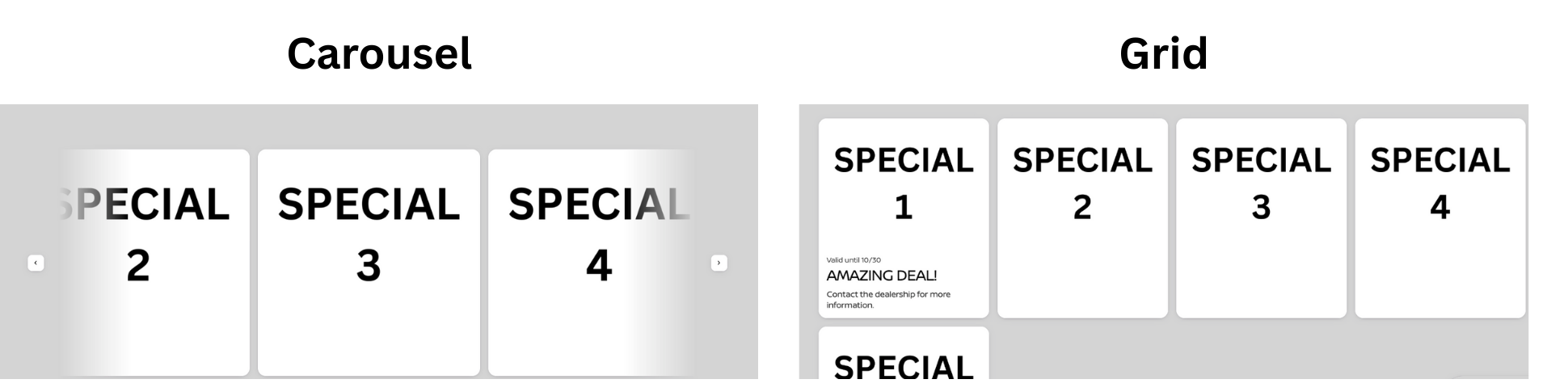
Cards can be reordered by clicking and dragging the six-dot handle in the top-left corner of each card. On the right side, you can choose the layout-either a carousel or a card stack-and adjust image fit, card design, and text formatting.
At the bottom of the settings panel, you can further customize how the carousel or grid is displayed.
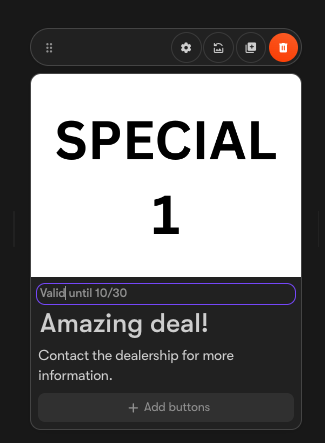
Each card can include a subtitle, title, and body text, though none of these fields are required.
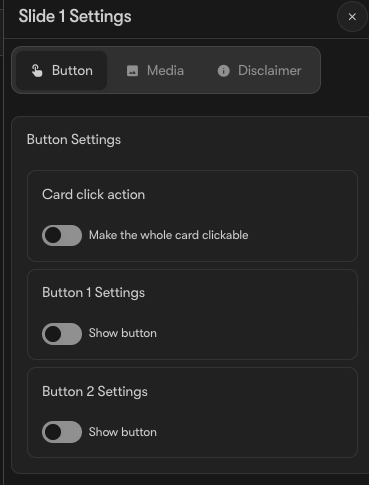
You can also add disclaimers and buttons by clicking the gear icon at the top of the card or selecting Add Buttons. This opens a panel on the right where you can add multiple buttons, videos, or disclaimers.
Additionally, a card can be configured to function as a single, clickable button.
Once your specials are complete, don’t forget to publish the page!